
Phishing
Phishing is a form of social engineering where a malicious actor attempts to gain confidential information from a victim——commonly passwords or financial information.
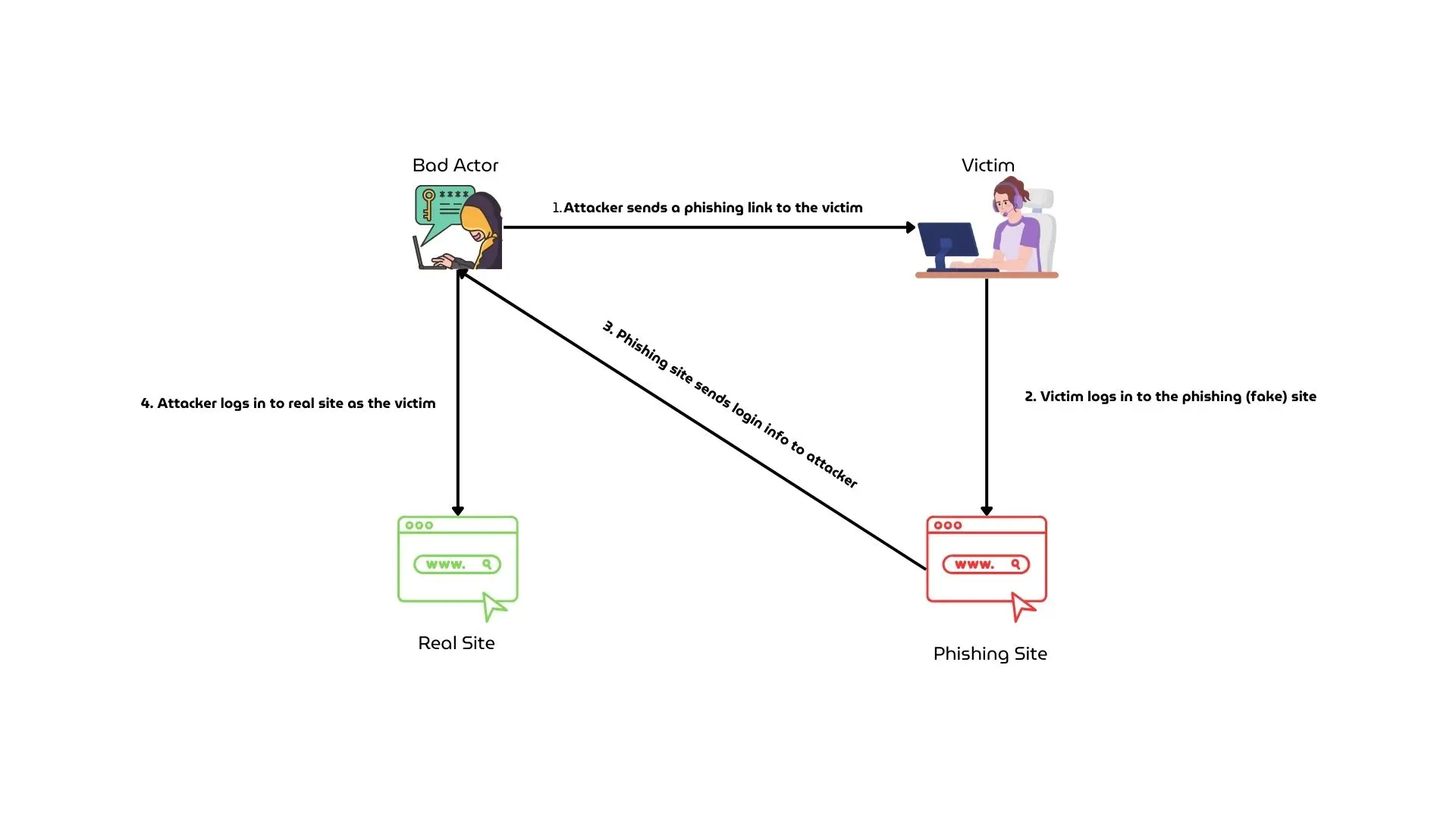
Phishing comes in many forms. One of the most common and the one that this resource will be covering is through websites. Bad actors create fake websites——impersonating a trusted brand. When the victim tries to log into the fake website, the login information gets send to the bad actor——allowing them to log onto the victim’s real account.
Common targets of phishing are:
Here is a diagram representing a generic phishing scam:
How do I know if a site is real?
There are multiple indicators you can check for to see if a site might be phishing.
The Message
How a link gets sent to you can help you determine whether or not it is a scam. There are a few important things to look out for here:
Is the sender reputable?
Was the link sent to you by someone you can trust, or by a random account you have no connection to? This is a common indicator of a scam.
Even if the message was sent by a trusted friend, there is a chance their account has been compromised. Always look for multiple indicators before determining if something is real
Is it too good to be true?
Bad Actors often try to entice you with free rewards (e.g. free Discord Nitro) as a reason to click the link. Offers like this do not exist, and should always be treated with suspicion.
Is it urgent?
Bad Actors will often introduce a sense of urgency to their messages——adding things like time limits in order to convince you to act quickly without thinking.
Remember to always take a moment to think before doing anything, no reward is more important than your security.
The Website
Does the domain match?
Phishing sites often use domain names (links) that look similar to that of the real site, usually including the name of the target company or making small imperceptible changes to the name (e.g. “dlscord” instead of “discord”). These things seem obvious but are often forgotten in the moment.
Make sure to check the domain for any link you suspect, and ensure it matches with the real website.
Does the site look off?
Phishing attacks often target sites you are commonly on. In many cases there will be small variations to the site, including missing other pages that exist on the real website. If something looks wrong——it usually is.
I have Multi-Factor Authentication (MFA) enabled. Does this make me immune to phishing?
Short Answer: No.
The most common and most widely supported forms of MFA (also known as 2FA) are not phishing-resistant. This includes Authenticator Apps and SMS (Text) codes. A phishing site can always ask you to input an MFA code.
Phishing-resistant forms of MFA to exist in the form of Passkeys/FIDO2. For more information, see the MFA guide.